
From the How I Search column at Further Index.
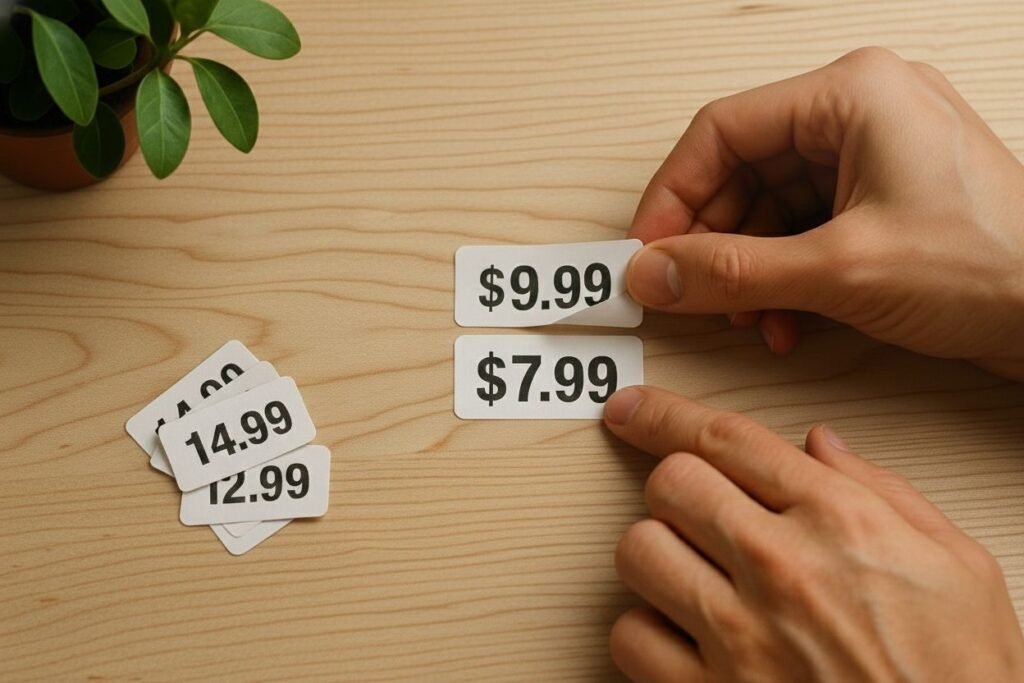
A quiet suspicion haunts most modern shoppers. It is the nagging feeling that the amount on your screen is not the real price, or not the one everyone else sees. The number next to the “Buy Now” button is rarely fixed; it can shift with demand, timing, and sometimes with who the system thinks is looking.
That suspicion isn’t paranoia. Prices do change, often, and for many reasons.
Online retailers collect data on how shoppers behave, such as click patterns, device type, and location. Many use dynamic pricing, algorithms that adjust prices as demand, stock, and timing change.
Two people can view the same flight, hotel room, or blender minutes apart and see two different prices. Often that is demand and inventory at work. How much your own profile matters varies by retailer, and the evidence is mixed.
This guide isn’t about “coupon clipping.” It’s about Investigative Living, our term for using search techniques to see what’s behind what you’re shown. Here, that means seeing the price beneath the price.

Phase I: The Historical Audit (Seeing the Past)
The first rule of algorithmic defense: Never trust the current price.
The price shown today can work as an “anchor,” a high reference point that makes a later “sale” look generous. To know the real price and value of a product, I need to see its history.
The Tools:
- CamelCamelCamel (Amazon specific)
- Keepa (Browser extension for detailed graphs)
The Workflow:
I paste the product URL into these tools. I am not looking for the current price; I am looking for the Cyclic Low.
- The Graph: If a coffee maker is listed at $149 today, but the history graph shows it drops to $99 every three months like clockwork, then the “real” price is probably closer to $99.
- The “Fake” Deal: If a product is marked “30% Off!” but the graph shows the price was raised by 30% yesterday and then discounted today, I have good reason to doubt the urgency.
For Non-Amazon Sites:
I use Visualping. It is a change-detection tool. I set it to monitor a specific product page on a niche retailer’s site. It sends me a screenshot alert only when the pixel area containing the price changes. That saves me from checking the page over and over.
More Search Guides You Might Need Next


Phase II: The Shrinkflation Check (The Wayback Machine)
Shrinkflation is a quiet price increase. The price stays the same while the product shrinks. A box of cereal drops from 18oz to 15.5oz; a roll of trash bags loses four bags.
Retailers count on your memory being fuzzy. I rely on the archive instead.
The Tool: The Wayback Machine (Internet Archive).
The Workflow:
- I copy the URL of the product page (e.g., a specific brand of laundry detergent on Walmart.com).
- I paste it into the Wayback Machine and select a snapshot from two years ago.
- The Comparison: I look specifically at the “Net Weight” or “Unit Count” specifications.
For example, if the 2023 bottle was 100oz for $15, and the 2025 bottle is 88oz for $15, the unit price went up even though the sticker price didn’t. That informs my decision to switch brands or buy in bulk.
The Wayback Machine doesn’t capture every page, so you may not find a snapshot for every product.
Phase III: The Identity Strip (Visual Forensics)
Some “luxury” furniture, gadget, and decor brands are dropshippers. They take a generic item from a large factory, add a sleek logo, and sell it at a much higher price.
To defeat this, I ignore the brand name and I search for the object.
The Tool: Google Lens or TinEye.
The Workflow:
- I take a screenshot of the “luxury” lamp or ergonomic chair.
- I run a Reverse Image Search.
- The Reveal: The search can return the same product image on Alibaba, AliExpress, or a wholesale outlet for a fraction of the “designer” price.
Insight: I am not looking for a “knockoff.” I am looking for the source. If the “source” product is $40 and the “branded” one is $200, I am paying a $160 tax for a logo. A matching photo doesn’t guarantee matching quality, so read reviews before you switch.
Phase IV: Breaking the “Profile” (Incognito & VPN)
Retailers collect data about you. Some sites adjust prices by location, and a few have been reported to vary them by device or browsing history. The evidence is mixed, so treat this phase as a test you run, not a guarantee of savings.
To compare, I try to see a more neutral price.
The Workflow:
- The “Clean” Slate: I open an Incognito/Private window, which starts without my saved cookies. If a site was adjusting prices based on my earlier visits, this shows me whether it changes anything.
- The Location Shift: I use a VPN (Virtual Private Network) to change my digital location.
- Travel Hack: When booking flights, I sometimes compare prices with my VPN set to the destination country. The currency and price can shift, though not always in my favor. Check the site’s terms first, since some restrict this, and confirm the final price, currency, and payment rules before you buy.
- The Device Swap: Occasionally, I check the price on my phone (disconnected from WiFi) versus the one on my laptop. Mobile-exclusive discounts, or premiums, do exist on some sites.
Phase V: The “Real” Market Value (The eBay Protocol)
Finally, I determine what an item is actually worth, not what a retailer wants for it.
Retail price is a wish. Resale price is reality.
The Workflow:
I go to eBay, search for the item, and toggle the filter “Sold Items.”
- If a brand new blender sells for $400 at retail, but the “Sold” listings show dozens of “New in Box” units selling for $220, the market has rejected the retail price.
- That works especially well for tech and collectibles, and it shows the depreciation curve. If sold listings show a steep drop from the retail price, consider buying second-hand or waiting for a deeper clearance.
Conclusion: Replacing Noise with Insight
Algorithms love that most people shop emotionally. They thrive on urgency (“Only two left!”) and identity (“You deserve this premium brand”).
But when you step outside the system, even for two minutes, the marketplace gets easier to read.
You stop buying under pressure, stop reacting to “limited time deals” that repeat every Tuesday, and stop paying the “lifestyle tax” for rebranded generic goods. Instead, you can treat the price as a question to answer, not a command to obey. And you have the tools to answer it on your own terms.
The Real Price Investigator’s Resource List
1. Historical Price Tracking
- CamelCamelCamel: The essential tracker for Amazon price history. Set alerts for your “Buy Price.”
- Keepa: A browser extension that embeds price history graphs directly onto product pages.
- Visualping: Monitors any website for visual changes (great for tracking prices on niche sites that block standard trackers).
2. Product Verification
- Google Lens: The best tool for reverse-image searching products to find their generic or wholesale origins.
- The Wayback Machine (Internet Archive): Essential for fact-checking past product sizes (shrinkflation) and claims.
3. Market Valuation
- eBay “Sold” Filter: A useful check on what similar items are currently selling for.
- RateBud: a browser extension that analyzes Amazon product reviews using AI to detect fake reviews and assess overall product quality. It provides letter grades (A-F) on Amazon product pages to help shoppers make informed purchasing decisions and find the real price of goods.