
A practical guide to finding what people search for, understanding competition, and choosing the right tools without paying for features you don’t need.
A spreadsheet containing 10,000 keywords can look impressive. Then Monday arrives, and you still have to decide what to publish.
That is the challenge with keyword research. Finding search terms has become remarkably easy. Understanding which ones deserve your attention takes more work.
Some tools estimate how often people search for a phrase. Others reveal questions, uncover competing websites, identify changing interests, or organize subjects into content plans. Their numbers may disagree, and their definitions of a promising keyword can differ considerably.
The right choice depends on what you’re trying to learn.
We’ve organized 16 keyword research tools by their practical uses, including free services, comprehensive SEO platforms, and specialized tools for smaller websites and editorial teams.
Start here: Which keyword research tool do you actually need?
Before opening another dashboard, identify the problem you’re trying to solve.
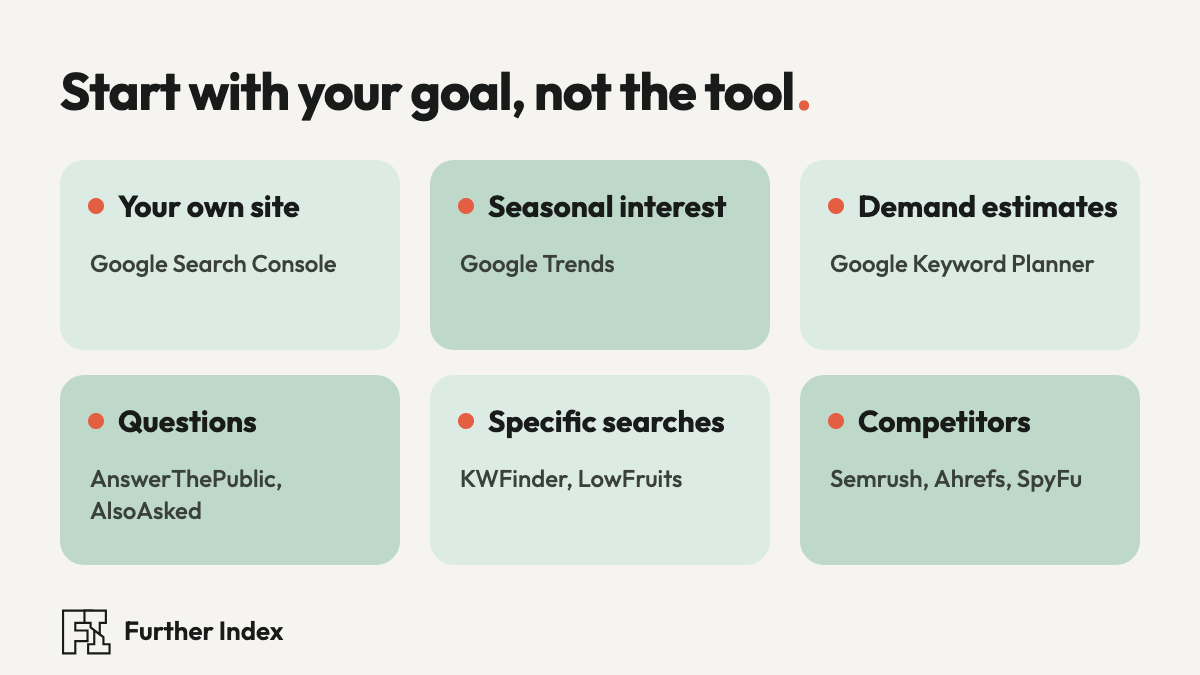
| Your goal | Start with |
|---|---|
| Find queries already bringing your site visibility | Google Search Console |
| Discover emerging or seasonal interests | Google Trends |
| Estimate demand for search terms | Google Keyword Planner |
| Find questions worth answering | AnswerThePublic or AlsoAsked |
| Find specific, potentially less competitive searches | KWFinder or LowFruits |
| Analyze competing websites | Semrush, Ahrefs, or SpyFu |
| Organize a large editorial plan | Keyword Insights |
| Improve coverage of an existing article | Surfer |
Most publishers need only a few of these capabilities at any given time.
The free foundations
1. Google Search Console: Discover what your audience already searches for
Access: Free
Best for: Websites with existing Google Search visibility
If you already operate a website, Google Search Console is one of the most useful places to begin.
Its Performance report shows the queries for which your pages appeared in Google Search, along with impressions, clicks, average position, and click-through rate.
Look for pages receiving impressions but relatively few clicks. They may contain opportunities to improve a title, expand an explanation, or better satisfy a searcher’s question.
For example, a website publishing design tutorials might discover that an article about color theory also appears for searches about complementary color combinations. That discovery could justify updating the article or developing a related tutorial.
The limitation: Search Console only reports on properties you can access. Some queries are omitted for privacy, and the tool doesn’t provide a complete picture of competitor traffic.
2. Google Trends: See when public interest changes
Access: Free
Best for: Seasonal subjects, emerging trends, and comparing topics
Search demand changes. A topic that receives little attention in March may surge in October. An unfamiliar term might attract growing interest long before it appears in your regular editorial calendar.
Google Trends helps you examine those changes by location, time period, and search category. You can compare terms, investigate regional differences, and explore related searches.
Its biggest advantage is context.
Suppose you’re comparing interest in electric bicycles and electric scooters. Trends can show how relative interest has evolved and whether either subject has pronounced seasonal patterns.
The limitation: Google Trends measures relative search interest using a normalized scale from 0 to 100. A score of 100 represents peak relative interest within the selected comparison, not 100 searches. It should not be interpreted as absolute search volume.
3. Google Keyword Planner: Estimate search demand and advertising value
Access: Google Ads account required
Best for: Keyword ideas, monthly search estimates, and paid-search research
Google Keyword Planner began as an advertising tool, and that heritage explains both its strengths and its limitations.
Enter a phrase or a website, and the platform suggests related keywords. It can display estimated average monthly searches, advertising competition, and bid estimates.
This makes it useful for exploring related terminology and understanding whether businesses are purchasing ads around a subject.
There is an important distinction: Keyword Planner’s competition figures describe competition among advertisers. They do not measure how difficult it will be for your article to reach Google’s organic results.
Google’s own page says you need to finish setting up a Google Ads account before you can use the tool, and data precision can vary by account.
The limitation: Its advertising focus and aggregated estimates make it an imperfect standalone tool for editorial SEO decisions.
4. Bing Webmaster Tools: A second source of search intelligence
Access: Free
Best for: Comparing demand and wording across search engines
Google dominates many keyword research conversations, but Bing offers a useful additional perspective.
Its Keyword Research feature shows impressions and trends for related search terms, with country and language filters, and lets you export the data.
For publishers, the value is having another source of information instead of relying on one provider’s estimates.
If a keyword looks promising in Google-focused tools, checking Bing can reveal alternative wording and related phrases.
The limitation: Bing’s figures describe Bing searches and are reported as impressions, so don’t treat them as Google search volume.
Tools that reveal the questions behind searches
5. AnswerThePublic: Discover the questions surrounding a topic
Access: Limited free access; paid plans
Best for: Article ideas, FAQ research, and understanding audience language
Enter a broad subject such as “home security,” and AnswerThePublic organizes related searches into question-based and other phrase patterns.
The results can reveal useful angles: how something works, whether it is worth buying, what causes a problem, or which alternative people prefer.
This is especially helpful when the initial topic is too broad for a useful article.
An extensive set of keyword suggestions still requires judgment. Some variations are redundant, oddly worded, or irrelevant to your readers.
The limitation: Autocomplete-based suggestions and their visual presentation don’t establish precise demand or prove that every suggested question deserves a separate page.
6. AlsoAsked: Follow the connections between questions
Access: Limited free searches; paid plans
Best for: Related questions, article structure, and search intent
AlsoAsked organizes Google’s People Also Ask information into connected question maps.
The distinction from AnswerThePublic is useful.
AnswerThePublic explores search variations and suggested phrases. AlsoAsked helps you see how related questions connect within Google’s search results.
Imagine researching “why does my laptop overheat?” A question map might lead toward ventilation, fan problems, dust, component temperatures, or normal operating conditions.
These connections can help an editor plan a more complete explanation without wandering into unrelated subjects.
The limitation: It depends on available People Also Ask data. Some searches produce few or no results, and the relationships reflect Google’s presentation of questions rather than a complete record of human curiosity.
7. Keywords Everywhere: Research while you browse
Access: Freemium browser extension
Best for: Quick keyword checks without constantly switching dashboards
Keywords Everywhere adds research information to supported websites and search interfaces, including Google, YouTube, and Amazon.
Its free features include keyword suggestions and certain SEO metrics. Paid credits unlock search volume, cost-per-click, competition, and trend data.
For someone researching regularly throughout the day, the convenience is appealing. You can examine an idea while browsing instead of opening a separate platform for every search.
The limitation: Paid data requests consume credits, sometimes across multiple suggested terms on a single page. The extension works in Chrome, Firefox, and Edge.
Comprehensive SEO research platforms
8. Semrush: A broad view of keywords and competitors
Access: Limited free functionality; paid plans
Best for: Businesses and teams managing multiple SEO projects
Explore Semrush Keyword Magic Tool
Semrush combines keyword discovery with competitive research, rank tracking, site auditing, and other marketing capabilities.
Its Keyword Magic Tool can generate related searches with estimated volumes, keyword difficulty, commercial intent, and other measurements.
Keyword Gap is particularly useful for comparing websites and identifying search terms competitors rank for that your site may be missing.
For a publisher operating several websites, that broader view can help distinguish isolated content ideas from genuine gaps in existing coverage.
The limitation: The platform offers far more than many individual writers need. Subscription cost, feature limits, and the effort required to learn its tools should all factor into the decision.
9. Ahrefs: Look beyond a keyword’s search volume
Access: Limited free tools; paid platform
Best for: Competitive SEO research and evaluating potential organic traffic
Explore Ahrefs Keywords Explorer
Ahrefs is particularly useful when you need to understand why one page attracts traffic while another doesn’t.
Keywords Explorer provides keyword ideas, ranking difficulty estimates, search-result information, and metrics such as Clicks and Traffic Potential.
Those last two deserve attention.
A search term may receive thousands of searches without generating a similar number of website visits. Search features can answer the question directly, and users sometimes leave without clicking anything.
Ahrefs’ Traffic Potential estimates the organic traffic the top-ranking page for a parent topic receives across the keywords it ranks for. This offers a broader perspective than considering one search phrase in isolation.
The limitation: Traffic Potential is an estimate based on observed rankings and modeled traffic. It doesn’t predict how much traffic your future page will receive.
10. SE Ranking: A versatile option for ongoing SEO work
Access: Paid plans
Best for: Freelancers, growing websites, and agencies managing recurring SEO tasks
SE Ranking provides keyword discovery, competitor research, rank tracking, site auditing, and related SEO functions.
Its keyword research reports include search volume estimates, difficulty scores, related terms, and information about pages already appearing in search results.
It is worth comparing against larger platforms when you need ongoing monitoring but want to control software costs.
The limitation: The actual value depends on your chosen plan, research limits, required locations, and number of projects. Claims that one platform delivers a fixed percentage of another platform’s features are rarely meaningful without a specific comparison.
11. Mangools KWFinder: A focused approach to long-tail keywords
Access: Limited free lookups; paid plans
Best for: Beginners and smaller websites researching specific topics
KWFinder concentrates on helping you explore keyword ideas without the extensive dashboard complexity of some larger platforms.
You can research related phrases, autocomplete suggestions, and questions while examining estimated volume, difficulty, and search results.
It is particularly useful for exploring long-tail keywords, typically more specific search queries that express a clearer need.
For example, “desk chair” is broad. “Desk chair for a small apartment” describes a narrower problem and may indicate a different type of page.
The limitation: Specific wording doesn’t guarantee low competition. Search results and the quality of existing pages still need to be examined.
12. Ubersuggest: An accessible entry point to SEO research
Access: Limited free functionality; paid options
Best for: Individuals and small businesses getting started with SEO
Ubersuggest combines keyword suggestions with content ideas, competitor research, SEO difficulty estimates, and site analysis.
Its appeal is straightforward: a publisher can investigate a topic and explore related SEO decisions within one platform.
It may be a suitable first paid option for someone who wants more information than Google’s free tools provide but doesn’t require an extensive enterprise-oriented system.
The limitation: Free usage is restricted, and its modeled estimates should be checked against other evidence before making major content investments.
Specialized tools for finding and planning opportunities
13. LowFruits: Inspect the competition for overlooked opportunities
Access: Paid credits and subscription options
Best for: Small publishers investigating specific, potentially less competitive searches
LowFruits generates long-tail keyword ideas and analyzes the search results for possible openings.
Its SERP analysis looks for signals such as lower-authority websites and pages that may not directly satisfy a query.
This can be helpful when you’re publishing on a newer website and competing against established publishers.
However, a forum or Reddit thread ranking prominently is not automatically a weak competitor. Sometimes a firsthand discussion is precisely what searchers want.
LowFruits itself has adjusted its treatment of forum results to reflect that distinction.
The limitation: Indicators of weak competition are useful screening signals. They cannot guarantee rankings or substitute for reading the results yourself.
14. SpyFu: Understand the competitive history behind keywords
Access: Limited previews; paid plans
Best for: Competitor SEO and PPC investigation
SpyFu specializes in researching the search terms other websites rank for and advertise against.
Its historical research can help identify recurring topics, competitive overlap, and changes in search advertising.
This is useful when investigating a commercial subject, particularly where competitors have developed extensive search campaigns.
A keyword appearing in a competitor’s paid and organic research may deserve examination, but it still has to make sense for your audience.
The limitation: Competitor traffic and advertising expenditures are modeled estimates. The platform cannot reveal a rival company’s complete internal analytics or marketing budget.
15. Keyword Insights: Turn keyword lists into editorial plans
Access: Paid plans
Best for: Content teams handling large collections of related keywords
Keyword Insights tackles a problem that emerges after initial research: deciding which keywords belong together.
It uses search-result similarities to group related terms into clusters and help identify potential pages, search intents, and editorial briefs.
This is particularly valuable when hundreds of phrases concern similar subjects.
Consider a publisher researching typography. Queries about font anatomy, type classification, and typographic hierarchy may warrant distinct lessons. Minor wording variations about the same concept might be better served by one comprehensive page.
Clustering helps organize those decisions.
The limitation: Automated clusters are recommendations. Editors still need to account for existing content, audience needs, and whether a separate page would genuinely add value.
16. Surfer: Improve an article’s topical coverage
Access: Paid platform
Best for: Teams producing or updating search-focused editorial content
Surfer combines keyword research with content planning and optimization.
Its Content Editor examines competing pages and suggests relevant terms and topics to consider while writing or revising an article.
For editors managing a large collection of explanatory content, this can help surface subjects missing from an existing page.
The risk is treating every suggestion as mandatory. A page can include all the expected terms and still offer little original value.
The limitation: A content optimization score is a proprietary evaluation, not a Google ranking factor. Relevance, accuracy, and genuine usefulness still require human editorial judgment.
How to evaluate a keyword before writing an article
Keyword tools produce possibilities. Before choosing one, examine five things.
1. Relevance
Does the topic fit your website and the people you want to reach?
A high-volume phrase outside your expertise may attract visitors with little reason to stay.
2. Search intent
What does the person expect after submitting the query?
Someone searching “what is an SSL certificate” probably wants an explanation. Someone searching “SSL certificate pricing” may be comparing services.
Search the phrase yourself and examine the types of pages that appear.
3. Realistic competition
Keyword difficulty scores can help narrow a list, but each provider calculates them differently.
Examine the actual results. Are they primarily large commercial websites, established publications, detailed guides, product pages, or community discussions?
Look for information gaps you can responsibly fill.
4. Search demand
Compare estimates, related phrases, and long-term trends. Remember that search-volume figures are approximations.
A phrase with a small reported volume may still be useful if it serves a specific audience or connects to a wider subject.
A reported zero is not proof that nobody ever searches for it.
5. Opportunity to provide something useful
Can you contribute a clearer explanation, an original example, firsthand experience, a comparison, an illustration, or a verified source?
That question should influence the decision as much as any metric.
A practical keyword research workflow
Let’s imagine you’re planning an article about finding public-domain images.
Step 1: Begin with a broad subject. Search for “public domain images” in Google Trends to examine interest over time.
Step 2: Explore related language. Use Google Keyword Planner, KWFinder, or another suggestion tool to investigate possible variations. Examples worth testing might include “public domain museum images” and “public domain photos for commercial use.” These are illustrative research ideas, not verified keyword-volume findings.
Step 3: Find questions. Use AlsoAsked or AnswerThePublic to investigate how people discuss image reuse, copyright expiration, attribution, and commercial permissions.
Step 4: Examine the search results. Search your strongest candidate phrases directly. Identify which needs are being served and where explanations may be confusing or incomplete.
Step 5: Check what you have already published. If your website is established, review Search Console and your existing article library. Expanding a useful page may make more sense than publishing a competing one.
Step 6: Verify information at the source. For an article involving image rights, official collections and their licensing statements matter more than generic keyword suggestions.
Further Index’s guide to five free open datasets includes a discussion of Smithsonian Open Access, a relevant starting point for this example.
The final content decision should come from the evidence you gathered, the information your audience needs, and the value your website can add.
What we saw on our own site
When we first opened Search Console for our own new site, the early data showed impressions long before clicks. On a new site, that gap is normal.
The more useful finding was where the impressions came from. Several queries already earned impressions for pages sitting a few places short of the first page, which is where improving an existing page usually beats writing a new one. So we updated those pages first instead of publishing more.
Three mistakes worth avoiding
Confusing search volume with actual visitors
A phrase can attract substantial search activity while generating comparatively few website visits.
Featured snippets, AI-generated summaries, maps, shopping features, advertisements, and other search interfaces can affect what people click.
Search volume measures estimated demand. Actual traffic depends on rankings, presentation, user behavior, and the usefulness of the result.
Assuming every keyword needs its own page
Closely related phrases often share a search intent.
Publishing several nearly identical articles can fragment useful information and create unnecessary competition within your own website.
Group related queries sensibly, while making room for genuinely distinct questions.
Writing to satisfy an optimization score
Automated suggestions can improve coverage, but repetition and unnatural phrasing diminish the reading experience.
Google’s published guidance emphasizes helpful, reliable, people-first content and discourages keyword stuffing.
An article should make sense to someone who arrived directly, without knowing anything about its target keywords.
Does keyword research still matter in the age of AI search?
Yes, although the way people discover information continues to evolve.
Traditional search engines, AI-generated answers, conversational interfaces, and specialist research tools can expose people to information through different paths.
A person might type “best password manager,” then ask an AI assistant to compare privacy policies, followed by a question about encryption and independent security audits.
Those interactions raise connected research questions that a simple keyword list may not fully capture.
Google’s guidance for AI Overviews and AI Mode continues to emphasize established SEO practices, useful original information, and accessible, well-organized pages.
Keyword research remains useful because it reveals recurring questions and language patterns. Its real value comes from pairing those patterns with editorial research and sound judgment.
For a wider look at changing search behavior, read Further Index’s The Dawn of the Agentic Era: Web Discovery in 2026.
Our recommendations: Build a smaller toolkit
You can conduct meaningful keyword research without subscribing to every service on this list.
For a new website: Begin with Google Trends, Google’s search suggestions, and Bing Webmaster Tools. Use available free keyword lookups when you need additional estimates.
For an established website: Start with Google Search Console. Add Google Trends for context and a keyword discovery tool when exploring new subjects.
For a small editorial operation: Consider KWFinder for straightforward keyword exploration or LowFruits when competitive opportunity analysis is the priority.
For a larger SEO program: Compare Ahrefs and Semrush against your specific research, tracking, and competitor-analysis requirements before committing to a subscription.
For a content production team: Keyword Insights and Surfer may be useful when clustering and revising material become recurring tasks.
The most expensive platform is rarely the right starting point simply because it offers the most data.
Frequently asked questions
What is the best free keyword research tool?
For an existing website, Google Search Console is an excellent starting point because it reports queries connected to your actual search visibility. Google Trends is useful for comparing changes in interest. Bing Webmaster Tools provides another free source of keyword ideas.
What are long-tail keywords?
Long-tail keywords are usually more specific, often lower-frequency searches. They can express detailed needs, although they aren’t necessarily long phrases or easy to rank for.
How accurate are keyword research tools?
Search volume, ranking difficulty, and competitor traffic are generally estimates derived from different data sources and methods. Differences between platforms are normal. Use metrics as guides and verify consequential decisions against search results and actual website performance.
Can AI tools perform keyword research?
AI assistants can help brainstorm related questions, organize keyword lists, classify likely intent, and develop article outlines. Reliable numerical research requires access to appropriate search data. AI-generated volume estimates without identifiable underlying data should not be treated as verified.
How many keywords should one article target?
There is no universal number. A well-designed article can naturally answer several closely related queries. Focus on the main subject, associated questions, and the information readers need.
The bottom line
Keyword research is valuable because it helps us listen more carefully to the questions people bring to the internet.
The best tools reveal different parts of that picture. Google Search Console shows where your site already appears. Google Trends shows changing interest. Ahrefs and Semrush help examine competition. AlsoAsked reveals related questions. Specialized tools help turn larger collections of ideas into manageable plans.
Choose the resources that answer your immediate research questions. Then inspect the evidence, read the results, and publish something worth finding.
The goal is a better page, not a bigger spreadsheet.
How we reviewed these tools
This guide draws on official product pages, published documentation, and search-engine guidance. In November 2026, we checked the most consequential claims, including Google’s current AI search guidance, Keyword Planner access, Bing’s keyword tool, and browser support for Keywords Everywhere. We did not test all 16 platforms hands-on.
Free allowances, subscriptions, and features change, so check each provider’s current terms before subscribing.
Additional authoritative references:
- Google Search Central: Creating Helpful, Reliable, People-First Content
- Google Ads Help: About Keyword Planner
- Google Trends Help: FAQ about Google Trends data
- Google Search Central: Optimizing your website for generative AI features on Google Search
For additional research tools and original sources, explore the Further Index Discovery Directory.