
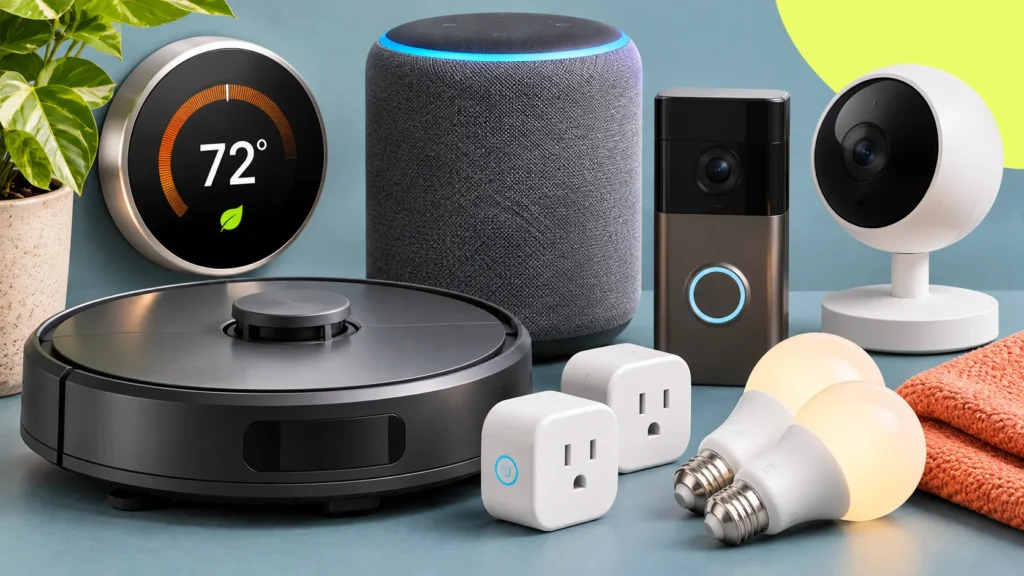
The best smart home devices share one trait: you stop noticing them. They take over a chore you already do—like setting the temperature, vacuuming the floor, or checking the front door—without asking for attention. Most of the category fails that test. Many smart devices add an app, an account, and sometimes a subscription to something that worked fine before.
This guide covers seven devices that earn their place in a home, six that usually do not, and six checks to run before you buy anything that connects to Wi-Fi. Prices, models, and plan terms change often, so confirm the details on the maker’s page before you order.
Affiliate disclosure: Further Index participates in the Amazon Services LLC Associates Program. If you buy through links marked as sponsored, we may earn a small commission at no extra cost to you.
What Makes a Smart Device Worth Buying
The smart home industry sells many devices that answer questions nobody asked. A smart mirror that reports the weather repeats what a window already shows. A camera inside a refrigerator tells you what is in an appliance you can open in three seconds.
The devices that last solve a friction point you already have:
- A thermostat that follows your schedule, so you stop heating or cooling an empty house
- A robot vacuum that cleans while you are out
- Smart plugs that put a lamp or fan on a schedule
- A video doorbell that shows who is at the door before you open it
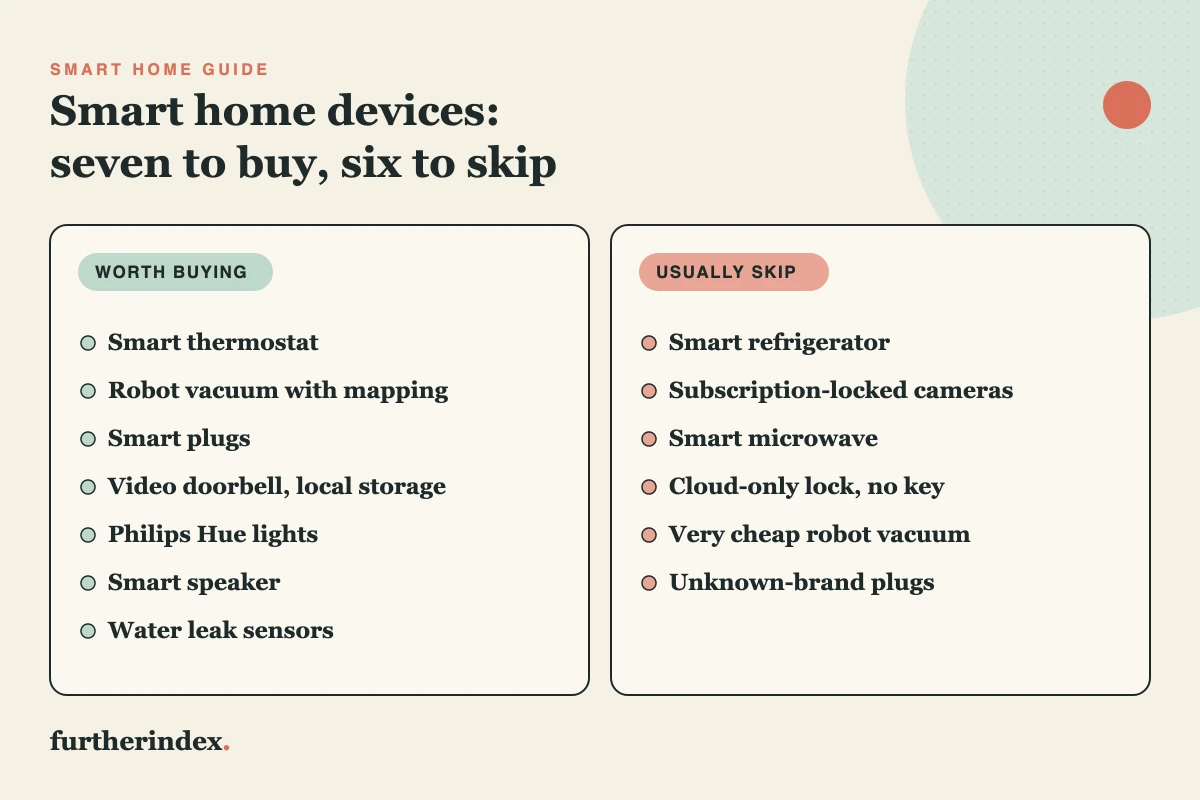
These devices fit around what you already do instead of asking you to change your habits. That is the difference between a tool and a toy. The graphic below sorts this guide’s picks into what to buy and what to skip.
Best Smart Home Devices That Work
Each entry below ends with one recommendation and the reason for it.
1. Smart Thermostat
A smart thermostat follows your schedule and adjusts heating and cooling for you. The savings are real but modest. ENERGY STAR reports that certified smart thermostats save about 8% on heating and cooling bills on average—roughly $50 per year—and that savings can be higher depending on climate, occupancy, and equipment.
At that rate, a thermostat pays for itself slowly unless your utility offers a rebate, so the case for buying one rests as much on convenience as on cost. Check your system’s wiring against the maker’s compatibility tool before you order, because not every HVAC setup works with every model.
Our pick: any ENERGY STAR-certified model your HVAC system supports. Google Nest and ecobee both sell certified thermostats. Browse ENERGY STAR smart thermostats on Amazon.
2. Robot Vacuum
A good robot vacuum removes a chore from your week. The catch is that this category varies more than any other on the list. Models that map your home and avoid obstacles tend to cost more, while low-priced models that bounce around a room are more likely to get stuck, miss areas, and need rescuing.
Brand stability matters here too. In December 2025, iRobot, the maker of Roomba, announced it would file for Chapter 11 bankruptcy and be acquired by Picea Robotics. The company said the process would let it keep its app features and product support running. Whichever brand you choose, confirm that its app is still supported before you buy.
Our pick: a room-mapping model from an established maker such as Roborock or Roomba. Browse robot vacuums on Amazon.
3. Smart Plugs
Smart plugs are the cheapest way to start. They turn a lamp, fan, or coffee maker into a device you can control by voice or phone, and most models need no hub. Useful setups include a lamp that turns on before you get home, a fan that shuts off at night, and lights that turn on on a schedule while you travel.
Check the plug’s wattage rating before you connect a space heater or another high-draw appliance. Stick with an established brand or a plug that carries the Matter logo.
Kasa, made by TP-Link, is a common starting point. TP-Link has faced U.S. government scrutiny over its routers, and a federal sales ban on those routers was reportedly shelved in February 2026 while Texas continued its own action. That reporting covers routers, not plugs, but it is worth a quick look at current news if a maker’s ownership matters to you.
Our pick: a plug from an established brand that works with your voice assistant, with Kasa as the usual choice. Browse Kasa smart plugs on Amazon.
4. Video Doorbell
A video doorbell earns its place if you get packages, have unpredictable visitors, or want to see who is at the door without getting up. The main buying question is where the video goes.
Ring’s Solo plan costs $4.99 a month or $49.99 a year for one device and includes up to 180 days of video history. Ring says its devices offer certain features without a plan, and the plan adds saved video. Eufy takes a different approach. Several Eufy doorbells record to local storage with no monthly fee, such as the S4 with 4 GB of built-in storage and the S330 with 8 GB. Local storage has a trade-off: if the device is stolen or damaged, you can lose the footage.
A camera at your door also records neighbors and passersby, so read the maker’s data policy. For a wider look at what connected devices collect, see how to search for privacy online.
Our pick: a Eufy doorbell with local storage, because the cost stays at the purchase price. Browse Eufy video doorbells on Amazon.
5. Smart Lights
Smart bulbs have a reputation for dropped connections and clumsy apps. Low-cost Wi-Fi bulbs often rely on a maker’s app and cloud service, making them only as reliable as that service.
Philips Hue lights connect through the Hue Bridge instead. The bridge supports Matter, so Hue lights work with Amazon Alexa, Apple Home, and Google Assistant. The up-front cost is higher because you buy the bridge along with the bulbs, but dimming, schedules, and scenes run from one system.
Our pick: a Hue starter kit that includes the bridge. Browse Philips Hue starter kits on Amazon.
6. Smart Speaker
A smart speaker works as the voice control for everything else. Voice suits simple, frequent tasks such as timers, music, the weather, and turning lights on or off. It supplements apps and physical switches rather than replacing them.
The lineup is shifting. Google ended production of the Nest Audio and Nest Mini in June 2026 and replaced them with the Google Home Speaker at about $100. Existing Nest units still receive software updates and security patches.
Our pick: the speaker that matches the assistant you already use—an Echo Dot for Alexa homes or the Google Home Speaker for Google homes. Switching ecosystems for a speaker is not worth it. Browse the Echo Dot on Amazon.
7. Water Leak Sensors
A leak sensor costs little and monitors where water damage starts: under sinks, beside the water heater, and behind the washing machine or dishwasher. Catching a leak early costs far less than repairing the damage it causes.
Look for a kit with a Wi-Fi gateway. Govee’s leak detectors need a gateway for remote monitoring, and the gateway supports only 2.4 GHz Wi-Fi. Without one, a sensor can sound its own alarm but cannot reach your phone while you are away.
Our pick: a Govee leak sensor kit that includes the gateway. Browse Govee leak detectors on Amazon.
Smart Home Devices to Skip
These devices sound impressive in a pitch and tend to disappoint in daily use.
1. Smart Refrigerators
A smart refrigerator adds a screen, a camera, and software to an appliance most people expect to keep for a decade or more. Screen software tends to age much faster than the appliance around it, so the screen is often the first part to stop being useful. It is a version of the pattern described in why we replace things that still work.
Buy a good standard refrigerator, and put a tablet stand on the counter if you want a screen in the kitchen.
2. Subscription-Locked Doorbells and Cameras
Some cameras and doorbells keep their best features behind a monthly plan. At $49.99 a year, a single-device Ring plan costs about $250 over five years, which can exceed the doorbell’s price. If you stop paying, you lose the saved video.
Read which features need a plan before you buy, or choose a device with local storage.
3. Smart Microwaves
Most microwave use is pressing a time and walking away. Voice commands and custom presets add cost and complexity to a job that a basic microwave already does well.
4. Cloud-Only Smart Locks
Smart locks are useful until the Wi-Fi drops or the maker’s servers go down and you cannot get in. A smart lock should keep a physical way to open it.
Two routes work well. August locks attach to the inside of your existing deadbolt and leave the outside untouched, which suits renters and quick installs. Schlage’s Encode Plus is a complete Wi-Fi deadbolt that includes a physical backup key. Choose August if you rent or want the lock in place within minutes, and Schlage if you are replacing the deadbolt anyway.
5. Very Cheap Robot Vacuums
At the bottom of the price range, robot vacuums often lack room mapping, so they drive in patterns that miss areas and catch on furniture. A regular vacuum beats a robot that needs rescuing every morning. Save for a mapping model, or skip the category.
6. Unknown-Brand Smart Plugs and Devices
Generic devices from unfamiliar brands may work at first, then lose app support, stop receiving firmware updates, or vanish from app stores. Established brands have more to lose by abandoning a product, and a Matter-certified device can pair through the standard instead of relying only on the maker’s app. Saving a few dollars on a plug does not justify a device that may stop connecting.
Quick Comparison: What to Skip and What to Buy
Here is the at-a-glance version:
| Device | Skip | Buy |
|---|---|---|
| Smart thermostat | A model that does not match your HVAC wiring | An ENERGY STAR certified model your system supports |
| Robot vacuum | Very low-priced models with no room mapping | A room-mapping model from an established maker |
| Smart plugs | Unknown brands with no update history | An established brand or a Matter-certified plug |
| Video doorbell | A model that needs a plan to save any video | A doorbell with local storage and no monthly fee |
| Smart lights | Low-cost Wi-Fi bulbs tied to the maker’s cloud | Philips Hue with the Hue Bridge |
| Smart lock | A cloud-only lock with no physical key | August over your deadbolt, or Schlage Encode Plus with its backup key |
| Smart speaker | Switching ecosystems for a speaker | The Echo Dot or Google Home Speaker that matches your assistant |
| Refrigerator | A refrigerator with a built-in screen | A standard refrigerator and a tablet stand |
| Water sensors | Sensors that only sound an alarm at home | A kit with a gateway that alerts your phone |
How to Choose the Best Smart Home Devices
Not every smart device suits every household. Work through these six checks before you buy, and use the graphic below as a reminder.
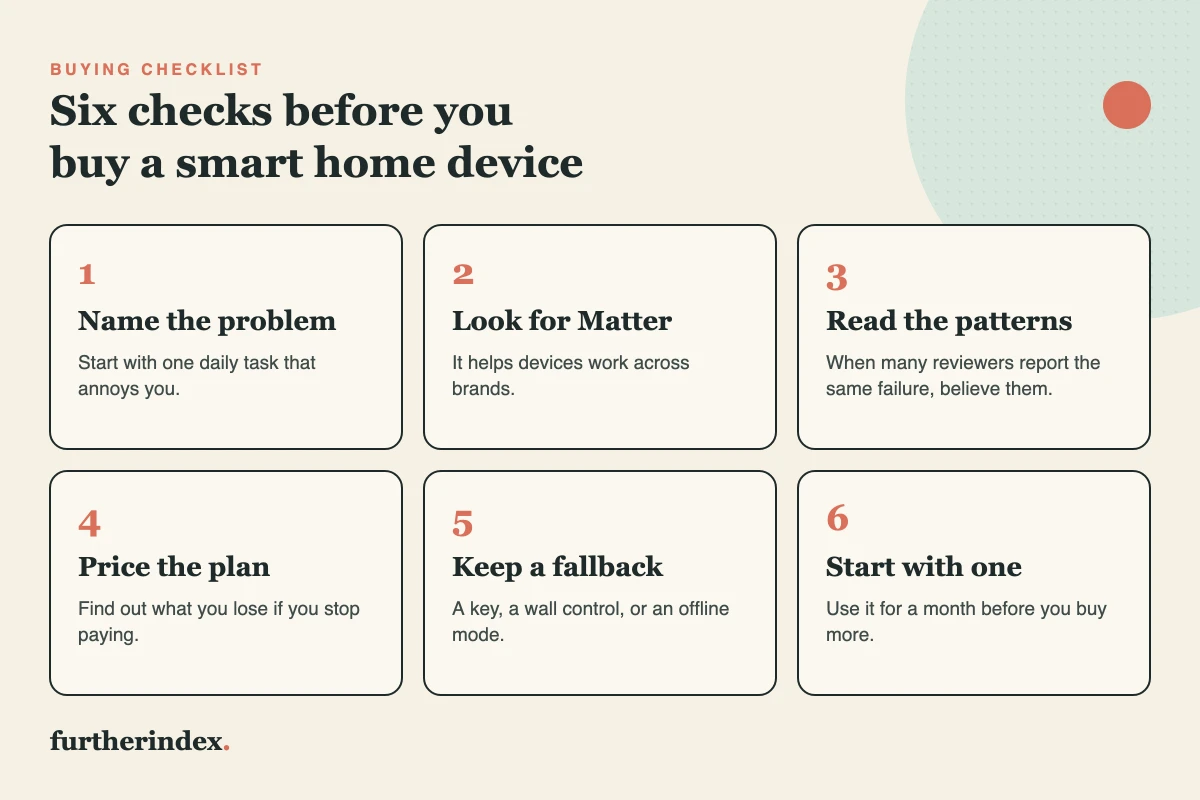
1. Name one problem to solve
Don’t buy a device just because it looks useful. Ask which daily task is annoying or wasteful. A thermostat addresses wasted heating and cooling, a robot vacuum addresses floor cleaning, and a video doorbell addresses missed deliveries. Start with the friction point, then pick the device.
2. Look for Matter
Matter is an open smart home standard, and only certified devices carry its logo. It helps devices from different makers work together across Apple Home, Google, and Alexa, so you are less tied to a single app. Matter improves compatibility but does not guarantee quality, so still read reviews.
3. Read reviews for patterns
Scan reviews for repeated complaints, such as dropped connections or a broken app. One bad review is noise; the same failure across many reviews is a signal. A badge is not a substitute, because the Amazon Best Sellers badge measures sales, not reliability.
4. Price the plan
Find out whether core features need a subscription and what you lose if you cancel. A plan that costs $49.99 a year adds up over the life of a device. For help comparing the true cost of products and deals, see how to find the real price of products.
5. Keep a fallback
Choose devices that still do their basic job when the internet fails. A smart lock should include a physical key, and a thermostat should keep a way to change the temperature at the wall. Confirm this on the product page before you buy.
6. Start with one
Buy one plug, bulb, or sensor and use it for a month. If it still works every day without troubleshooting, add more. If it sits unused after two weeks, return it and skip that category.
The Bottom Line
The best smart home devices quietly handle a daily task without needing attention, a subscription, or constant troubleshooting. A thermostat that trims heating and cooling bills, a vacuum that cleans while you are out, and a leak sensor that alerts your phone before a pipe floods a basement all meet that standard.
Everything else, from refrigerators with tablets to microwaves with voice control, adds complexity without solving a real problem. If you are starting from zero, buy one smart plug and use it for a month. It takes minutes to set up and shows quickly whether automation fits your routine. When you spend more on a device meant to last, the same test from our guide to buy it once home goods applies: pay more only where support and durability are real.
Smart Home Questions
Do smart thermostats really save money?
On average, yes, but not by much. ENERGY STAR puts the average at about 8% of heating and cooling costs, or roughly $50 a year. Savings vary with climate, how you use your home, and your HVAC equipment.
Does a video doorbell need a subscription?
Not always. Ring says its devices provide certain features without a plan, and its plan adds saved video history. Some Eufy doorbells store video locally with no monthly fee.
What does the Matter logo mean?
It means the device passed certification for the Matter smart home standard. Matter is designed to let devices from different makers work together.
Further Reading
- ENERGY STAR: Smart thermostat FAQ
- Ring: Protect plans and pricing
- Eufy: Doorbell cameras without a subscription
- Connectivity Standards Alliance: Matter FAQ
- Further Index: How I Search for Privacy Online in a World That Tracks Everything
- Further Index: Who Decided We Should Replace Things That Still Work?